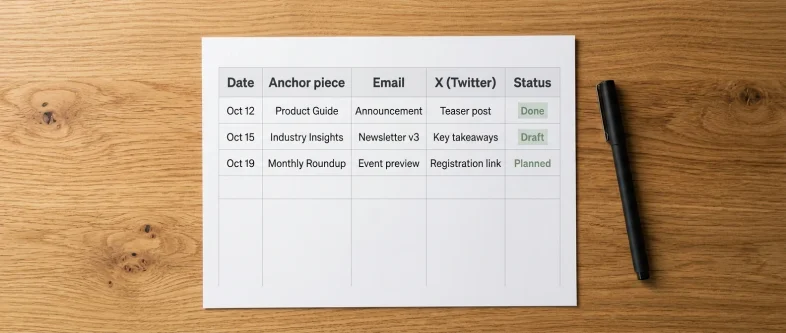
If your site goes quiet whenever life gets busy, the problem is usually the plan, not your discipline. A plan that needs your best week to run will fail in your worst one. Here is how to create a content calendar for traffic that fits on one sheet, keeps a blog, a newsletter and social posts moving together, and still works when you have no spare time.
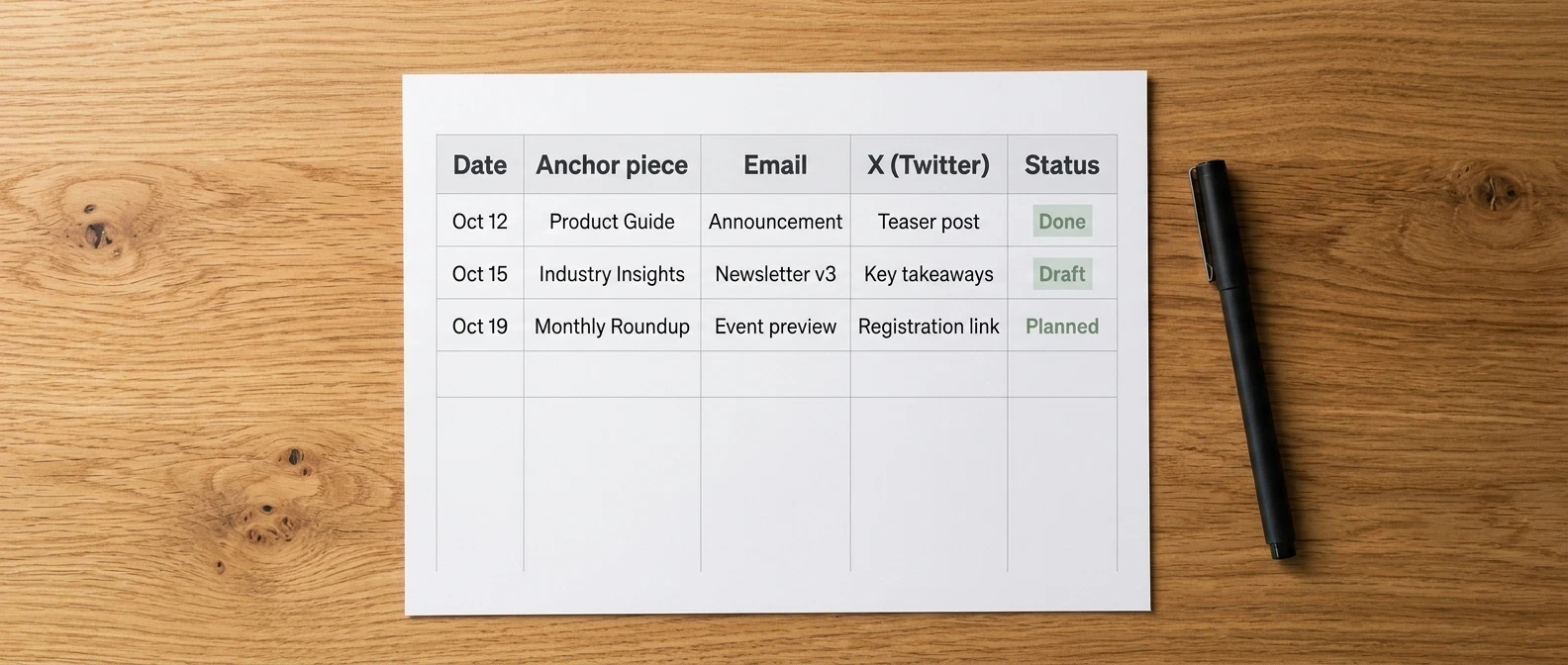
The five columns my content calendar has, and nothing else
The calendar is one sheet. A spreadsheet works, and so does a single page in a notes app. It has five columns:
- Date. The day each item goes out.
- Anchor piece. The one blog post for that week, with its target keyword next to the title.
- Email. One line describing the newsletter that points back to the anchor piece.
- X (Twitter). Two or three short post ideas pulled from the same anchor piece.
- Status. One of four words: idea, drafted, scheduled, published.
Each column answers a question you would otherwise have to answer in the middle of a busy week. The date column tells you what is due. The anchor column tells you what matters most. The email and X (Twitter) columns tell you what to write once the anchor exists. The status column shows at a glance where you are stuck.
Date | Anchor piece | X (Twitter) | Status | |
|---|---|---|---|---|
Dec 2 | How to plan a month of content (keyword: how to create a content calendar for traffic) | One line pointing to the anchor post | Two short post ideas from the anchor | drafted |
Dec 9 | What I track instead of likes | Three numbers I check weekly | One tip and one question | idea |
Dec 16 | Scheduling posts or showing up live | The split I use and why | Two posts, one scheduled and one live | scheduled |
Dec 23 | Month recap and next month’s plan | Short recap of what worked | One lesson learned this month | published |
Extra columns tend to hurt. A column for hashtags, image notes, word counts or promotion ideas turns the sheet into a project you have to maintain, and a calendar you avoid opening does nothing for your traffic. If you find yourself wanting a sixth column, put that information inside the anchor piece cell instead.
Pick a rhythm you can keep on your worst week
Publishers who work in bursts usually plan for their best week. They write four posts in a weekend, feel ahead, and then publish nothing for three weeks because the next burst never arrives.
Size the rhythm for your worst week instead. Think of the week with a deadline, a sick child, a long trip or a dead laptop, and ask what you could still finish. For most solo site owners the answer is one blog post, one email and a few short social posts. My rhythm is one anchor piece per week, and everything else hangs off it.
A rhythm you can keep also has a practical benefit for search. Sites that publish steadily give Google a reason to come back and give returning readers a reason to expect something new. A weekly post is easier to sustain for a year than a daily post is for a month.
If one post a week still feels like too much, publish every two weeks. Keep the number small and hold to it. You can raise it later, once a month has gone by without a gap. Lowering a number you promised yourself feels like failure, while raising one feels like progress, so start low.
Start with one anchor piece, then split it into email and X (Twitter) posts
The anchor piece is the blog post that does the work in search. Everything else you publish that week points to it. This is what lets one piece of writing feed three channels without three separate writing sessions.
Pick the anchor first, because it decides the rest. Choose a topic where you can name a target keyword, a phrase someone would actually type into a search box. Write that keyword beside the title in the calendar so you remember what the post is for.
Then split it:
- The email. Take one idea from the anchor piece, the most useful one, and write a short newsletter around it. Give the reader enough to get value on its own, then send them to the full post for the rest. One email, one idea, one link.
- The X (Twitter) posts. Pull two or three angles from the same post. One can be a question the post answers. One can be a single tip stated in a sentence or two. One can be a surprising line from the post that makes people curious. Each one links back to the anchor piece or stands alone, depending on the day.
Here is an example. Say the anchor piece explains how to choose one social media platform to get traffic from. The email might cover only the first question to ask yourself before picking a platform. One X (Twitter) post could ask readers which platform they check first each morning. Another could state the single most common reason people pick the wrong platform. All three come from the same writing session.
Write the email and X (Twitter) lines in the calendar while the anchor piece is fresh, ideally right after you finish it. Waiting a week to write them means rereading your own post to find the angles.
Where scheduled posts end and live time begins
A calendar tells you what to publish. It does not replace the time you spend replying to people, which only happens live. The two jobs need different handling.
Scheduled posts are the ones in the calendar. Write them in advance, queue them, and they go out whether or not you are at your desk. This is what holds your traffic steady in a bad week.
Live time is the window when you open X (Twitter), read replies, answer questions and join conversations as they happen. It cannot be queued, and it is optional in a way the scheduled posts are not. When a week falls apart, live time is the first thing to cut and the scheduled posts are the last.
In practice I give live time a note in the weekly ten minutes rather than a column in the sheet: a day and a length, such as Thursday for twenty minutes. If the week allows it, I do it. If not, the calendar still delivers the posts. My earlier post, Scheduling Posts or Showing Up Live: How I Split My Time on Social Media, goes into how to divide your hours between the two.
The rule that matters here: never let live time become the reason a scheduled post did not go out. If you only post when you feel like being on the platform, your publishing rhythm depends on your mood.
One planning hour a month and ten minutes a week
The whole system runs on two short sessions.
The monthly planning hour. Once a month, sit down with the sheet and work through this order:
- Spend ten minutes looking at what happened last month: which anchor pieces got visits, and which emails and posts drew clicks.
- Spend fifteen minutes choosing the anchor topics for the next four or five weeks and entering them with their target keywords.
- Spend twenty minutes writing the email line and the X (Twitter) ideas for each anchor piece. These are one-line prompts, not finished drafts.
- Spend fifteen minutes filling in dates and setting every status to idea.
When the hour ends, you know what you are publishing for the next month. That is the point of the exercise. Deciding what to write is the part of content work that most often stalls people, and it is now done in advance.
The weekly ten minutes. Once a week, ideally the same day, open the sheet and do three things. Check that this week’s anchor piece is on track and move its status forward. Look at the coming week and make sure nothing blocks it. Then set your live-time note, or clear it if the week is packed.
Ten minutes is enough because the thinking was done in the planning hour. The weekly check only confirms that the plan is still possible.
What I do when I miss a week without scrapping the calendar
Every calendar eventually meets a week where nothing gets done. The mistake is treating that as proof the calendar failed, then deleting it and starting over. A missed week is information about your worst-week rhythm, nothing more.
Here is what I do:
- Mark the week as skipped in the status column. I do not leave it blank or pretend it was published. An honest status keeps the sheet trustworthy.
- Move the anchor piece to the next open week. The topic is still good. It just ships later.
- Drop the extras before the anchor. If the following week is also tight, the email line and X (Twitter) ideas for the skipped week can be cut. The anchor piece stays, because it is the part that earns search traffic over time.
- Never double up to catch up. Two anchor pieces in one week is how a bad week turns into a bad month. Shift the schedule forward and accept the new dates.
If you miss two weeks in a row, take that as a signal that the rhythm is too ambitious and lower it. Going from weekly to every two weeks is a better fix than keeping a schedule you keep breaking. The calendar exists to serve your actual capacity.
Checking the calendar against my traffic numbers
A calendar that is followed but never checked can keep you busy with the wrong topics. Once a month, in the first ten minutes of the planning hour, compare what you published with what happened.
Look at three things:
- Which anchor pieces drew the most visits. The topics and keywords behind them tell you what to write more of.
- Which emails got clicks. If readers click on emails built around certain ideas, those ideas deserve another anchor piece.
- Which X (Twitter) posts sent visitors to the site. Likes are pleasant, but clicks to the site are what traffic means. In What I Track Instead of Likes to Know if Social Media Is Actually Paying Off, I cover which numbers to watch.
Then adjust. If a topic area keeps drawing visits, give it more weeks in next month’s plan. If a type of post never sends anyone to the site, replace it with a different angle rather than posting it out of habit. Because the calendar has only five columns, changing it takes a few minutes.
A month of data is a small sample, so avoid dramatic conclusions from a single post. Look for patterns across four or five anchor pieces before you change direction. What you are building is a sheet that gets slightly better each month, and a traffic pattern that no longer depends on how your week went.